
With Veilleuse, you can save a wet nappy, start a sleep or ask when the baby last fed by talking to Siri, with the phone still locked. Here is every English phrase, what each one does, and what you need on your iPhone.
We make Veilleuse, a baby tracker for iPhone, available now on the App Store. Facts about other apps come from their App Store listings or their own pages, checked in October 2026.
The short answer
Yes. Veilleuse works with Siri, phone locked, on iPhone with iOS 17 or later. Say "Wet nappy in Veilleuse", "She's asleep in Veilleuse" or "When was the last feed in Veilleuse?" and it is saved or answered. Timers then show on the lock screen and in the Dynamic Island. Other trackers such as Huckleberry and Nara Baby also work with Siri.
What you need to use Siri with your baby tracker
Veilleuse runs on iPhone with iOS 16.4 or later. Siri needs iOS 17 or later. There is no Apple Watch app, no iPad layout and no home-screen widget, so Siri on the iPhone is the hands-free way in.
Siri works in all six languages Veilleuse speaks: English, French, Spanish, Italian, Portuguese and German. The phrases below are the English ones. Start with "Hey Siri", then the phrase. Each one ends with "in Veilleuse", so Siri knows which app you mean.
Siri is free in Veilleuse, and so is the timer on the lock screen. Only "Tell Veilleuse" needs the Family plan.
Siri phrases for wet and dirty nappies
Two phrases cover the nappy change:
- "Wet nappy in Veilleuse" saves a wet nappy now.
- "Poo in Veilleuse" saves a dirty nappy now.
To check later, ask "Last poo in Veilleuse?". It is handy in the first weeks, when your midwife may ask how often the baby is pooing. For what is normal, see our guide to wet and dirty nappies, and ask your midwife, health visitor or paediatrician if something worries you.
Siri phrases for the baby's sleep
Sleep has a start and an end, so it has two sets of phrases:
- "She's asleep in Veilleuse" or "Start a sleep in Veilleuse" starts the sleep timer.
- "She woke up in Veilleuse" ends it.
- "Is she asleep in Veilleuse?" tells you whether a sleep is running.
That last one helps when your partner did the bedtime and you are not sure if the timer is on. With the sleep timer running, the nap shows on your lock screen, so you can see how long she has slept without opening the app.
Siri phrases for feeds, pumping and the bath
- "Feeding on the left in Veilleuse" starts a breastfeed on the left side.
- "Done feeding in Veilleuse" ends the feed.
- "Pumping in Veilleuse" for a pumping session.
- "Bath time in Veilleuse" saves a bath. A bath is a moment, not a timed entry.
A breastfeed can have a timer, so the feed you start with Siri can run on the lock screen while you feed. When you are done, say "Done feeding in Veilleuse" or tap Stop.
Ask Siri when the baby last fed
The question everyone asks at night has its own phrase:
- "When was the last feed in Veilleuse?"
Siri answers from what you and your family saved. There is no guess involved. You can also ask "Last poo in Veilleuse?" and "Is she asleep in Veilleuse?".
The same answer sits on the Veilleuse Home screen, which shows how long since the last feed and which side is next.
Say the bottle and the nappy together with "Tell Veilleuse"
Not everything fits a fixed phrase. For the rest, say "Tell Veilleuse", then a sentence in your own words. For example: "Tell Veilleuse", then "90 ml of formula and a wet nappy". "Tell Veilleuse" is part of the Family plan.
Veilleuse turns that sentence into entries, the same way it does in the app. Our guide to tracking your baby by voice explains how sentences become entries and what happens to your words. In short: speech becomes text on your iPhone or through Apple's speech service, the text goes to an AI service to work out the entries, and Veilleuse never saves your words.
Fix a wrong nappy or feed with "Undo that in Veilleuse"
Said "wet" when you meant "poo"? Say "Undo that in Veilleuse". Then say the right phrase. You can also open the app later and edit or delete any entry.
Save nappies and naps with the phone locked
All of this works with the iPhone locked. You do not need to unlock, find the app, and tap through a form while holding a baby. Say the phrase, and Siri does the rest.
This is the main reason to use Siri at night. The screen stays dark, your eyes stay half closed, and the baby stays on your chest.
Feed and sleep timers on the lock screen and in the Dynamic Island
When a sleep, breastfeed or pumping timer is running, it shows as a Live Activity. You see it on the lock screen and in the Dynamic Island. This needs iOS 16.2 or later. On iOS 17 or later, there is a Stop button right there.
One timer shows at a time. So you can start a feed with Siri, glance at the lock screen to see how long it has been, and tap Stop when the baby comes off.
Which baby Siri saves the feed or nappy for
Siri saves for the baby shown in the app. If you have twins or two little ones on the Family plan, open Veilleuse and pick the right baby before you hand things over to Siri. The Family plan covers up to 3 babies.
Every entry Siri saves also keeps the name of who added it. On the Family plan, your partner sees it on their own phone, on their own account, about every 30 seconds while the app is open.
Other baby trackers that work with Siri
Siri support is common, and it is worth knowing who offers what (from their listings, checked in October 2026):
- Huckleberry: Siri works, and AI logging by voice, text or photo is on paid plans.
- Nara Baby: works with Siri, with Live Activities too.
- Baby Tracker by Nighp: Siri Shortcuts, plus Quick Log on iOS 26 with Apple Intelligence.
- Sprout Baby, Baby Daybook and Robin: Siri Shortcuts.
- Baby Connect: Siri and an Alexa skill.
What Veilleuse brings together is a set of ready phrases for nappies, sleep and feeds, questions like the last feed, a sentence in your own words with "Tell Veilleuse", an undo, and timers on the lock screen.
How Veilleuse saves feeds and naps while you hold the baby
Picture 2 AM. The baby wakes. You lift her and say "Hey Siri, feeding on the left in Veilleuse" to a locked phone. The breastfeed timer starts, and it shows on your lock screen. When she comes off, you tap Stop or say "Done feeding in Veilleuse". You change her and say "Wet nappy in Veilleuse". She drifts off on your shoulder, so you say "She's asleep in Veilleuse".
You never unlocked the phone. In the morning, Home shows how long since the last feed and which side is next. On the Family plan, your partner sees the same feed, nappy and sleep on their own account.
If you are not sure what happened, ask "When was the last feed in Veilleuse?". For anything else, on the Family plan, say "Tell Veilleuse" and one sentence.
Veilleuse is available now on iPhone. Siri, the timers and logging one baby by hand are free. The Family plan is $11.99 a month, with your first month at half price, or $79.99 a year for the whole family.
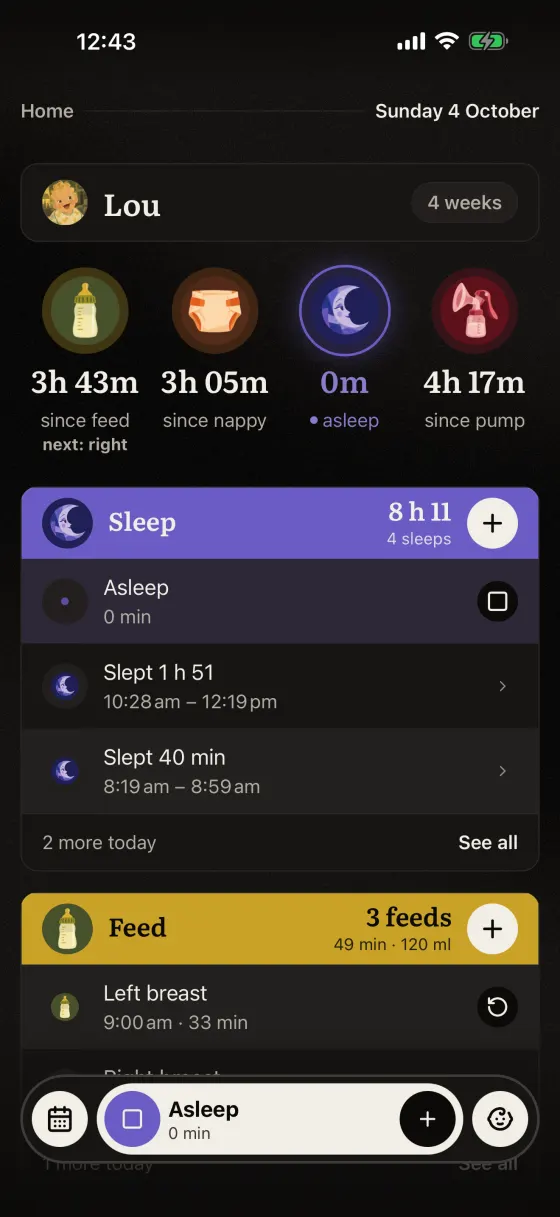
A sleep timer runs while she naps.
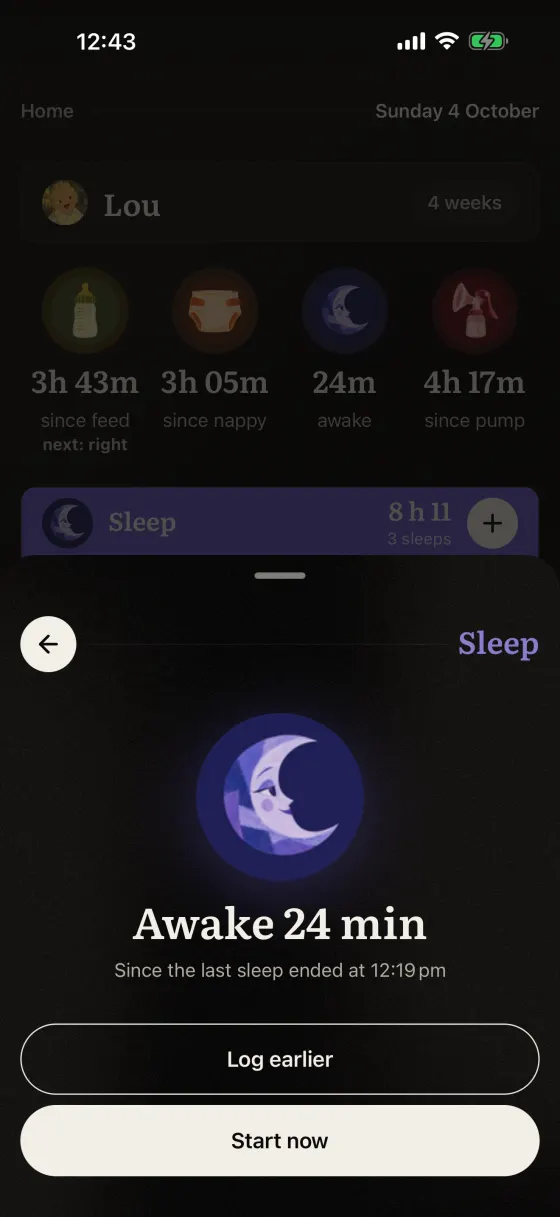
Awake 24 min. Start a sleep or log an earlier one.
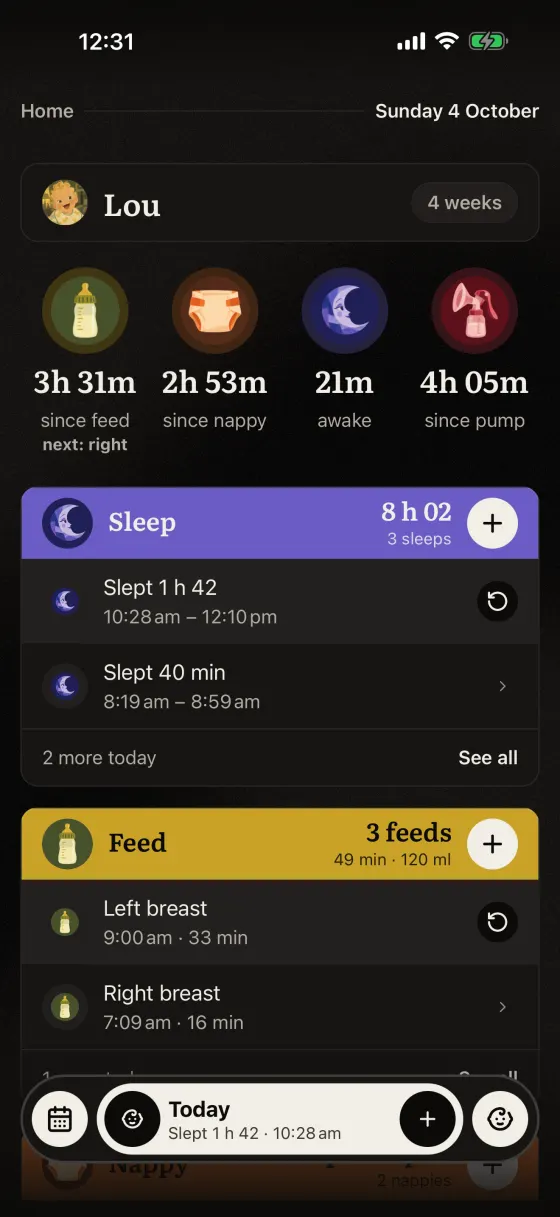
Home: how long since the last feed, nappy and sleep.
Questions parents ask
Does Veilleuse work with Siri?
Yes, on iPhone with iOS 17 or later, in six languages. Say phrases like "Wet nappy in Veilleuse", "She's asleep in Veilleuse" or "When was the last feed in Veilleuse?". It works with the phone locked.
Can I use Siri without unlocking my iPhone?
Yes. Siri works with the phone locked, so you can save a nappy or start a sleep while holding the baby. Running timers show on the lock screen.
Which baby does Siri save for if I have two?
Siri saves for the baby shown in the app. Pick the right baby in Veilleuse first. The Family plan covers up to 3 babies and 3 people.
What if Siri saves the wrong thing?
Say "Undo that in Veilleuse". You can also edit or delete any entry in the app later.
Does Veilleuse work on Apple Watch or with a widget?
No. Veilleuse is iPhone only, with no Apple Watch app and no home-screen widget. Timers show as a Live Activity on the lock screen and in the Dynamic Island.